
Close the laptop.
Keep the momentum.
Start a task. Go live your life.
Codex keeps working on your
Mac mini.
Your conversation is here when you get back.
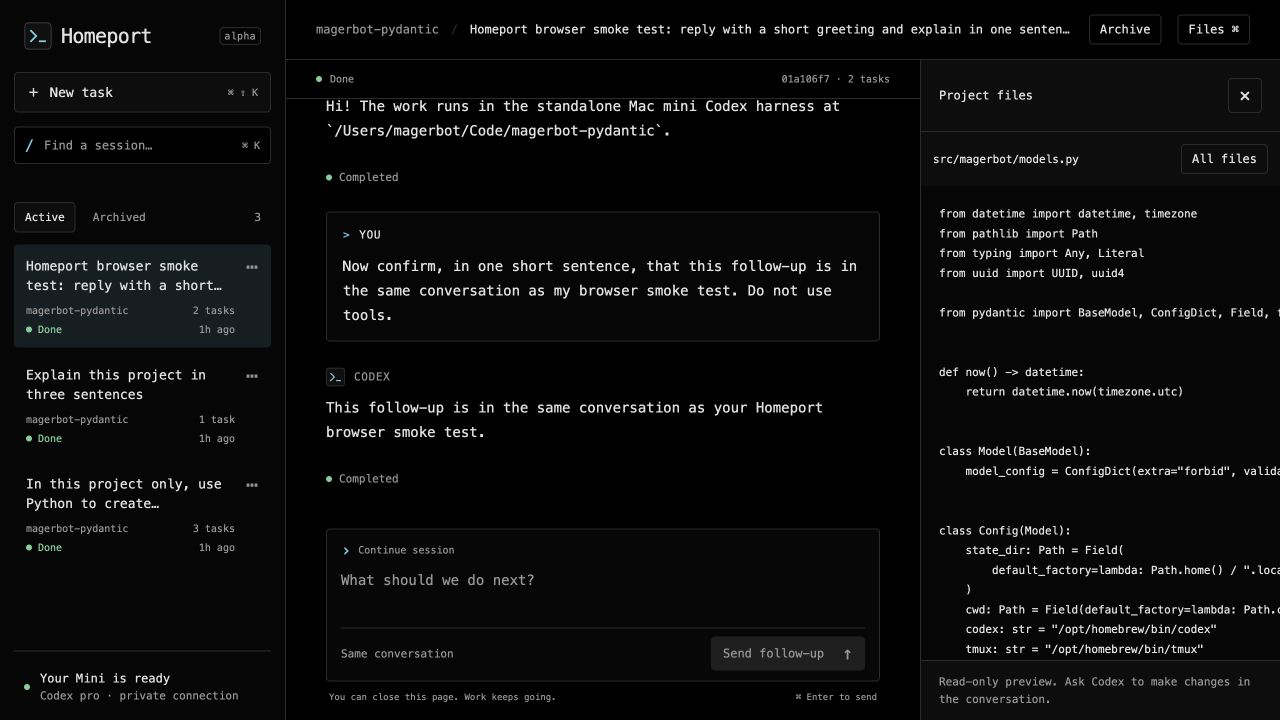
Your laptop is a window.
The Mini is home.
Your device can leave the conversation.
Your work doesn’t
have to.
Less ceremony.
More continuity.
A small, focused workspace for the parts between “go do this” and “here’s what changed.”
Find the thread. Keep the thought.
Search sessions by prompt, project, or status. Read the result, send a follow-up, and archive the work you’re done with.
The browser and terminal, together.
Review code in the browser. Open the same live conversation in the Codex CLI. One server keeps the conversation connected.
one conversation
Remembers what happened.
Task IDs, progress, and results are persisted locally. When a submission’s outcome is unclear, Homeport flags it for inspection instead of quietly running it again.
inspect before retrying
Your machine.
Your Codex account.
Your way back in.
Codex does the coding. Python and Pydantic validate the requests and keep track of the work. SQLite remembers it. Tailscale brings you back.
The agent processes, files, and task state live on your computer. Model inference runs through OpenAI, using your normal Codex login and plan limits.
One little machine.
A lot of possibility.
Bring a Mac mini, a Codex-supported ChatGPT account,
and something you want to build.
git clone https://github.com/mager/homeport.git
cd homeport
Then follow the guide to install prerequisites, sign in to Codex, and start Homeport.
A few things to know.
Is this a hosted service?
No. Homeport is open-source software you run on your own Mac mini. This website is the public introduction; your workspace stays on your machine, reachable privately through Tailscale.
Does it use my ChatGPT account?
Homeport reuses normal Codex authentication. The original installation was verified with a ChatGPT Pro account, without a separate API key. Your account’s Codex access and usage limits still apply.
What happens when I close my laptop?
Tasks keep running on the Mini while it is awake. tmux preserves the processes through SSH disconnects, and launchd supervises the service. After a reboot, it starts when the macOS user logs in; unattended FileVault unlock is not part of the setup.
What access does Codex have?
This version intentionally gives Codex full filesystem and network access as the signed-in macOS user, with no command-approval prompts. It does not grant root or bypass macOS privacy controls. Use a machine and account where you intend to allow that access.
How early is “early”?
Homeport has been tested on an Apple Silicon Mac mini with Codex CLI 0.160.0. It includes browser-based task submission, file previews, saved conversations, and restart recovery. The app-server interface is experimental. It is a personal workspace, with one worker, rather than a full browser IDE or a multi-user service.